Crop Amazon FBA carton labels from 4x6 to 4x4
A freight-forwarding workflow needed to print Amazon FBA carton labels on smaller label stock. The downloaded PDF was around 4x6, but the useful carton-label content fit a 4x4 label after the blank lower area was removed.
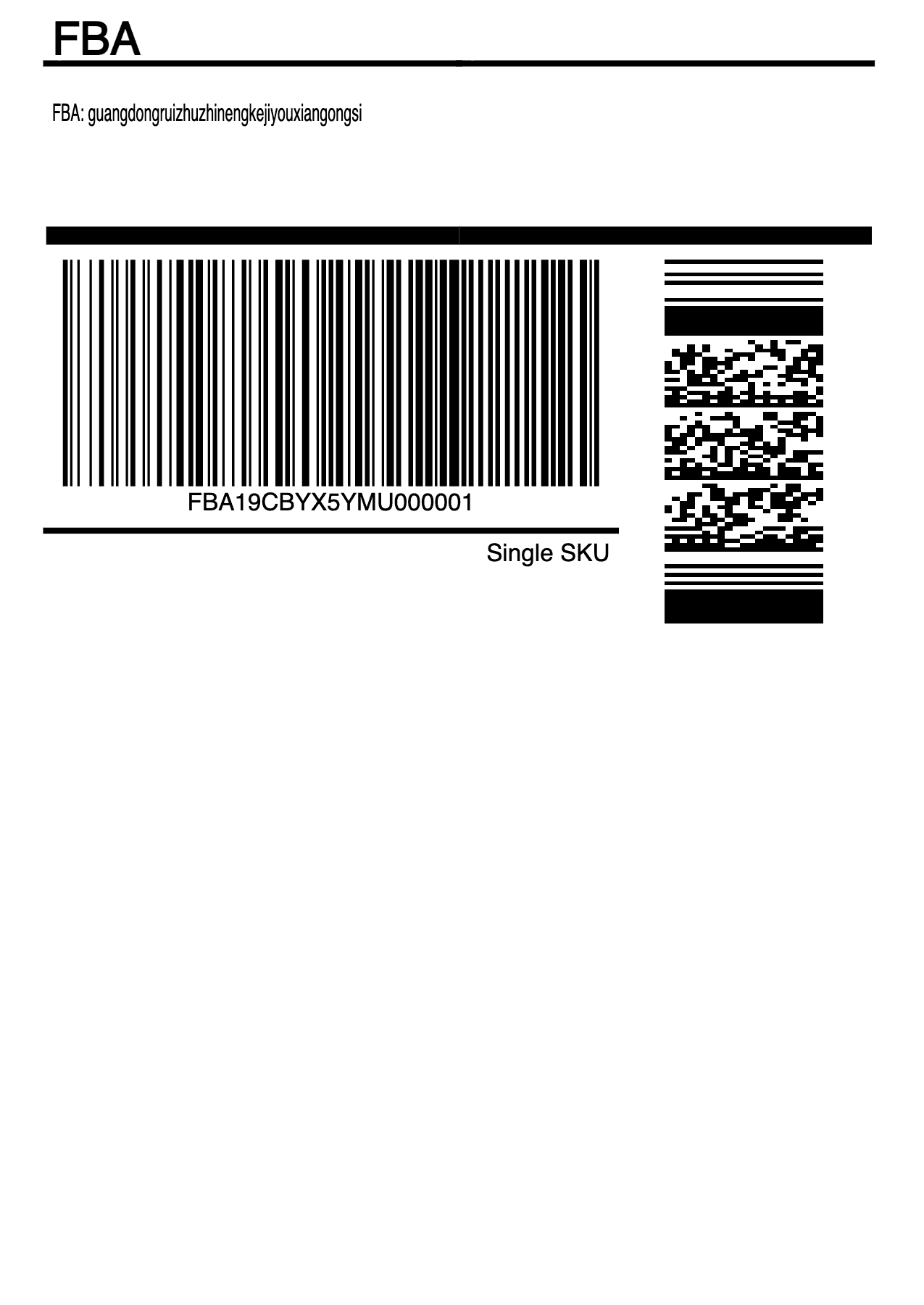
Useful carton-label content near the top, with blank lower space.
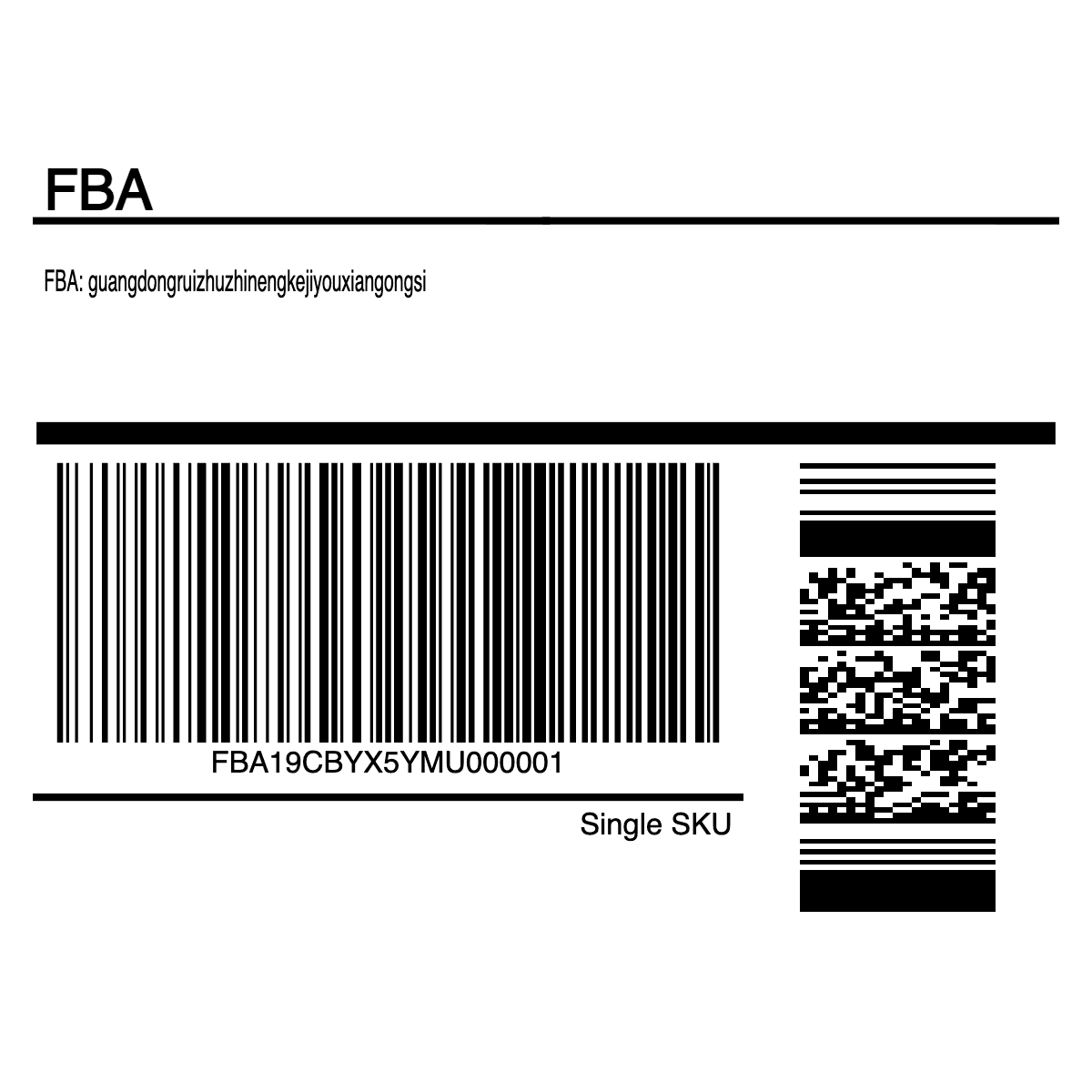
Blank space is removed first, then the result is placed on the target size.
The main win is removing repetitive page-by-page cropping.
Amazon exports a 4x6 carton label, but the warehouse may only have 4x4 label stock.
The downloaded Amazon FBA carton label is a 4x6 PDF, while the warehouse or freight forwarder may be set up with 4x4 label paper for carton labels and box-mark labels.
If the 4x6 PDF is printed directly on 4x4 stock, the printer may split one label across two physical labels. If it is scaled down to fit, the text and barcode become smaller and harder to scan.
This crop works because the bottom of the exported FBA carton label is blank. Removing that blank area keeps the useful label content closer to its original size while fitting the 4x4 paper.
Before the tool, the workaround was to open the PDF in Photoshop and crop every page by hand. Thirty pages took almost two hours. Auto-cropping turns the same job into a preview-and-export batch workflow.
Before and after
First check the original file, then confirm the processed result is ready for the next workflow.
Useful carton-label content near the top, with blank lower space.
Blank space is removed first, then the result is placed on the target size.
FAQ
If you have 4x6 label stock, printing the original PDF is usually better. Cropping is useful when the operation already uses smaller label stock and the downloaded FBA carton label has blank space that can be safely removed.
Yes, when the useful label content fits inside the smaller output. Preview the result first, then batch export the PDF.
No. The workflow crops the PDF page area and does not rewrite barcode data. You should still preview the visual result before printing.
Use Crop Label when the main problem is blank space around the label. Use PDF Resize when the main goal is fixed page resizing or conservative scaling.
No. AutoShipFlow is an independent tool for processing PDF labels you already downloaded.